Free Version and SkyWalking V2 Pro
Our Approach — Try Everything First, Then Decide
The free version of SkyWalking V2 is not a feature-limited trial. Map display, GPS track recording, GPX import and export, offline maps — every feature is available for free.
The only difference between the free version and Pro is the number of items you can store, not the features. Experience the app's performance and usability on real trips, and consider Pro if you like it. If your usage fits within the storage limits, you are welcome to keep using the free version indefinitely — that is how it is designed.
Free Version vs. Pro
| Item | Free | SkyWalking V2 Pro |
|---|---|---|
| Saved GPX files | Up to 4 | Unlimited |
| Saved offline maps | Up to 3 | Unlimited |
| All other features | Identical (no differences) | |
Even when you reach a limit, your saved data is never deleted — you simply cannot save new items. Deleting data you no longer need frees up slots.
Pricing and Free Trial
SkyWalking V2 Pro is an auto-renewing subscription. To open the purchase screen, tap the menu button, then "Settings", and select "SkyWalking V2 Pro" under "Subscription" at the bottom of the screen.
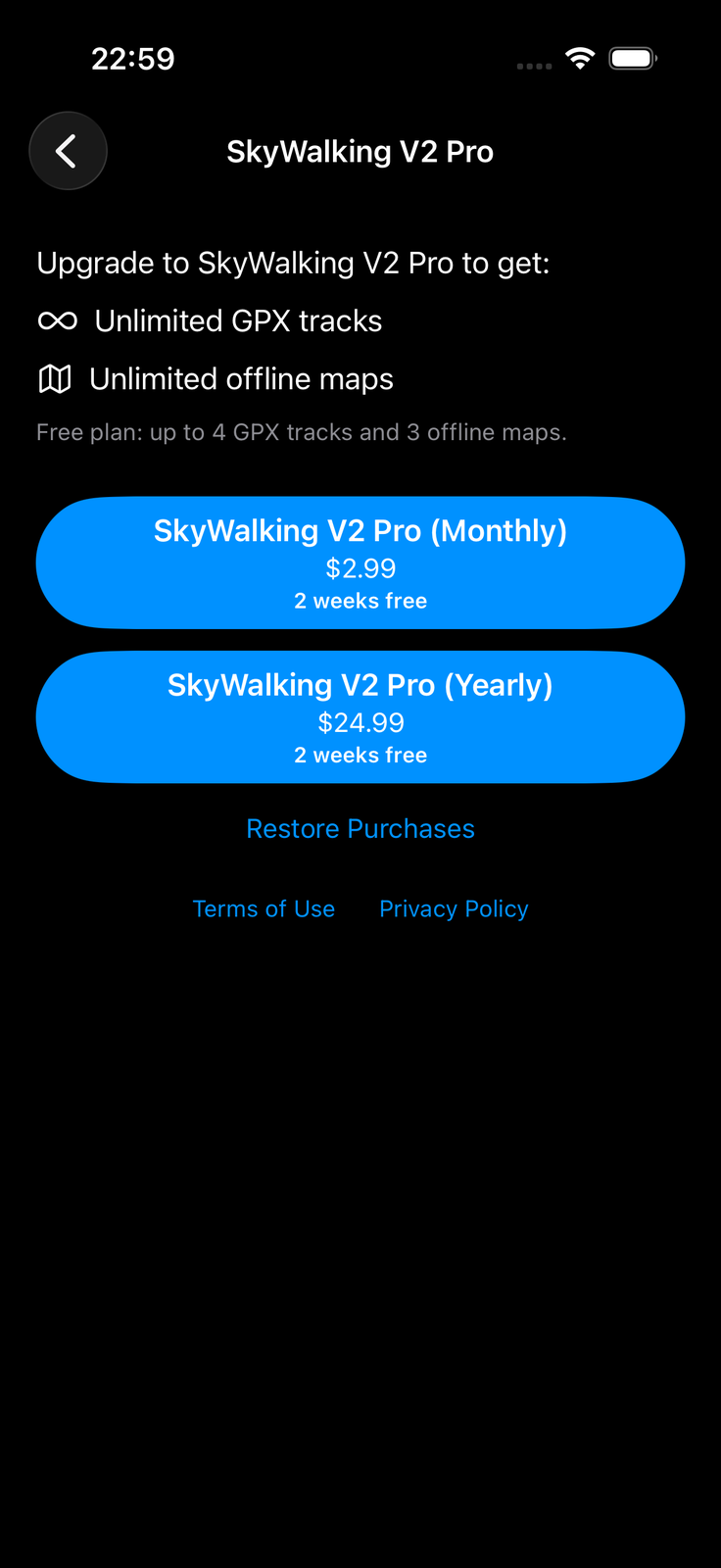
- JPY 500/month or JPY 4,000/year (prices vary by country and region; check the App Store for the exact price)
- Includes a 2-week free trial. If you cancel during the trial, you will not be charged.
- Billing starts automatically when the trial ends, and the subscription then renews automatically each period. If you do not wish to continue, cancel at least 24 hours before the end of the current period.
When you reach a storage limit in the free version, the app tells you so and points you to Pro. As noted above, your saved data remains untouched even at the limit.
Restoring Purchases — After a Device Change or Reinstall
After changing devices or reinstalling the app, your subscription may not be reflected in the app. In that case, tap "Restore Purchases" at the bottom of the purchase screen. As long as you are signed in with the same Apple account you used for the purchase, your Pro status is restored at no extra charge.
How to Cancel
Cancelling the subscription is done through Apple's system. You cannot cancel from within the app.
- Open the iOS Settings app
- Tap your Apple Account (your name) at the top
- Tap "Subscriptions"
- Select SkyWalking V2 Pro and tap "Cancel Subscription"
After cancelling, you keep the Pro benefits until the end of the period you have already paid for.
If you run into trouble with a purchase or restore, please contact us via the contact form.
← Back to the User Guide contents